https://epn.org/must-read-books-for-computer-science-students/
June 27, 2024
Certainly seems like a good list to me 🙂
https://epn.org/must-read-books-for-computer-science-students/
https://epn.org/must-read-books-for-computer-science-students/
January 10, 2018
Lots of hard work went into this edition, so very pleased to see it coming out. The print version is back from the presses but the ePub electronic book is still in the works. That one has lots of enhancements (including pop-up definitions for key terms and animations for the more complex figures) which should be great for students.
Here is the new cover:

Wiley’s site has all of the details: https://www.wiley.com/en-us/Operating+System+Concepts%2C+Enhanced+eText%2C+10th+Edition-p-9781119320913
June 6, 2017
Galvin Family Cuba Trip May 2017
Six of us traveled to Cuba, and many people asked us about our experiences and details so I thought I’d write it up as a blog.
In general the trip was excellent, we were sorry to leave (only 6 days there) and want to go back. It’s a bit of an adventure trip but
we thought well worth doing and relatively low cost.
We booked a private tour with this company:
with 6 of us in a relatively spacious taxi-van and planned and unplanned activities throughout the trip.
Here is an interesting article on why U.S. tourism to Cuba isn’t growing as much as some expected:
Note you aren’t “allowed” to just go for tourism, or to hit the beaches. There are 12 valid reasons and we went with a “person to person /education” reason (you need to select one at the airport before departing, etc.)
In theory, you can be fined by the U.S. if you don’t go for a valid reason or don’t have activities based on your reason, but it’s not clear what counts our doesn’t count (we had a friend who went there say they weren’t allowed to
snorkel, so their tour company apparently believed that’s not a valid activity, although we did snorkel). Also some articles have said that no one in the U.S. is actually monitoring this so there is little chance of being fined even if you do “misbehave”.
Luis was our most excellent tour guide and for most days we had the same excellent driver (who spoke only Spanish) Norge. We got to know Luis very well. On the side he makes documentaries about Cuba and we said we’d put them up on youtube for him (Spanish with no subtitles). (There is very little, mostly slow, 3 CUCs for 1 hour Internet in the main squares of the main towns.)
Here is our agenda and some highlights of what we saw
HAVANA DAY TOUR
Date: May 8th monday
Tour guide´s name: Luis
Language: English
Car to be used: Yellow and white van
Pick up time: 9:00 am
Pick up location: Place in Havana (please, provide the address)
Drop off time: 9:00 pm
Drop off location: Place in Havana (please, provide the address)
Pax: 6
Total price: 350 cuc (includes transportation and tour guiding)
HAVANA DAY TOUR
Date: May 9th tuesday
SANTA CLARA – TRINIDAD DAY TOUR
Date: May 10th wednesday
EL CUBANO PARK – CIENFUEGOS CITY TOUR
Date: May 11th thursday
Snorkeling in the Bay of Pigs
CIENAGA DE ZAPATA DAY TOUR
Date: May 12th friday
Bellamar Caves – this about the only thing we didn’t think was worth doing
VARADERO MATANZAS DAY TOUR
Date: May 13th saturday
Tour guide´s name: Luis
Language: English
Car to be used: Yellow and white van
Pick up time: 9:00 am
Pick up location: Place I will book for you in Matanzas
Drop off time: 3:00 pm
Drop off location: Havana airport
Pax: 6
Total price: 240 cuc (includes transportation and tour guiding)
The red line shows the approximate trip we took. Lots of time on the road, but very little was boring. And we only saw a subsection of Cuba because it’s a very large island.

6 of us went in total, including my wife, son, son’s girlfriend, older daughter, and 15 year old daughter (happy graduation presents!).

If we’d done a “normal” U.S. run tour, it would have cost ~$2,500 per person or so (including flights, hotels, food, etc). Still a mighty large bill.
I think we saved lots of money by arranging a personal tour via a Cuban company. The fee for the tour company, including taxi and tour guide, was about 350 CUC per day (total, not per person). The tour company arranged for places to stay in each locale except Havana (which they said was now complicated). The places were people’s houses turned into B&Bs, with generally nice features, very nice hosts, in good locations, for about 40 CUCs per room including breakfast. We got 3 rooms at each place so 120 CUCs per day for accommodation plus breakfast for 6 – very reasonable (and generally great breakfasts including eggs, breads, and great fresh fruit).

Lunch and dinner at tourist places (more than we’d usually eat, and generally tasty) was about 120 CUCs (for each of lunch and dinner) per day. One of us had a bad stomach for 1/2 a day but otherwise no issues with food or water (we drank only bottled water which was readily available). On the last day we were running short of time so Luis took us to a local’s restaurant. Not much choice, we all got pork on sub bread. Surprisingly tasty, and including drinks cost all of 12 CUCs for the 6 of us. So you can live very cheaply if you live like a local. Note for Havana I used airbnb.com to find a place to stay and thatworked out very well, plus you pay ahead via credit card so less money to have to bring.
Estimate of our travel costs, for 6 of us: $3000 for flights estimated (could be lower – round trip from Boston at the moment is as low as $300), $2000 for the private tour, $1500 for food, $1000 for accommodations (including breakfast) = $8500 for six of us for 6 days, or $1500 per person.
Alejandro at Cuban Trip Compass was very helpful. We emailed back and forth many times determining the schedule, sites, preferences etc.
It all went very smoothly, except some of us missed our flight from Jacksonville to Miami, so had to go standby and take the 6am on Monday.
With no easy way to communicate (U.S. cell phones don’t work in Cuba) we email Alejandro and he had Luis bring the others that were already there and meet us at the airport around Monday at noon. Could have been much worse.
Note we missed our flight because I falsely thought all the international hassle would happen in Miami but it happens at the origination of your international trip (JAX in this case) and we didn’t leave enough time. Plus lots of aggravating delays at JAX (it took 30 minutes to make it through TSA, even though we were TSA-PRE and there was very little line), etc.
And American Air was not very helpful.
Here are the top things to do in Cuba, as determined by tripadvisor ratings:
Here is a useful article about travel from the U.S. to Cuba:
Can Americans Travel to Cuba? Yes — and Here’s How …
As opposed to more usual destinations, money management is a challenge for U.S. travelers to Cuba. Cuba is the only nation with 2 currencies. One is the “CUP” for internal use, which is about 1/25th of the one that tourists use, the Cuban convertible Peso (CUC, or “kook”). Be a bit careful that change for CUCs isn’t made in CUPs, for example, but we never had that happen.
Here are the official exchange rates:
http://www.xe.com/currency/cuc-cuban-convertible-peso
Although in Cuba these didn’t quite line up. Also not noted is a 10% conversion fee for U.S. dollars to the CUC. Also, conversion can only occur within Cuba, so don’t expect a travelex etc currency converter to handle CUCs. You need to wait for Cuba to do any conversions. While we were there the going rate was about $.97 per CUC, minus 10%. So $ to CUC, $1 got us about .87 CUCs going the “official” way.
The first place to convert is at the airport, but note there can be long lines. When leaving Cuba we needed to pay for our tour, and didn’t have enough CUCs. I’d estimate that the line would have taken us one hour to do more conversions, but our tour guide excepted $ for the remainder of the fee so we skipped the line. One useful trick explained to me from an accountant who went to Cuba is to bring Euros to Cuba. They don’t have the 10% fee. Using our local AAA office, I converted $3000 to euros (recall 6 of us were traveling). We now had 2,616 in euros. In Cuba we converted those to CUCs, at about 1 CUC to 1.1 Euros. So we had about 2,900 CUCs for $3,000, much better than converting US $.
I probably should have gotten more Euros and converted more to CUCs. Instead we had $2,000 in 100 dollar bills. Note this is just below the amount (we discovered on the customs form) that you are allowed to bring to Cuba without having to find a customs agent and discuss. Not sure what that discussion would have been, or if dividing by meant we were no where near the limit. It made us nervous traveling with that much cash. We split it up and carried it in under-shirt security wallets. But it turned out we didn’t really need to. No pick pockets in site, no seemingly-threatening behavior, etc. It seemed very safe there and soon we were leaving cameras, lenses etc in our rooms with no worry.
One other discovery that’s a new option and saved us $. There are now two U.S. banks issuing credit cards that work in Cuba. Note that no other cards from the U.S. will work there. We ran into a cool cat named Sacco (sp?) from the L.A. area traveling with friends. He said it was more expensive there than they thought, they ran out of $, tried to use their Bank of America debit / credit cards and they didn’t work, in spite of asking BoF ahead of time and getting assurances. 2 hours on the phone with higher and higher level BoA employees, they admitted the cards didn’t work and the best option was to have $ wired to Cuba. Sacco said that worked but that only Cubas are allowed to receive wired $ so they had to ask someone to retrieve the money for them.
So my advice, apply for a credit card from StoneBank: https://www.stonegatebank.com/form-consumer-credit-card.asp
Note they say it takes weeks to process, so start perhaps a month ahead. Luckily it went much faster for us, as I discovered this only 2 weeks before the trip and got the card the day before we left. Note that you need to print, sign and mail a form letter as well as fill out the forms (stating you are going for a designated purpose, will only do legal things, etc).
It turned out the card could be used as debit for pulling CUCs from the ATM machines. I should have asked for a larger cash advance about as we started getting denied after 3 days of pulling 300 CUCs out. From memory we received 270 CUCs for $300 charged, so by far the best value in getting CUCs. ATM machines were uncommon but generally around in the cities. For example there only seemed to be one, a few blocks from our B&B, in Trinidad). Even tourist places didn’t seem to take credit cards, so except for purchases at the airport on the way out we didn’t use the card for anything else.
And yes, you can bring back seemingly unlimited cigars and rum to the U.S. Unfortunately I waited until the airport and duty free to try to buy those to bring back. Rum (12 year old and very tasty) that was 50 CUCs at stores in cities was now 75 CUCs. And cigar choices are limited due to demand. So try to shop at various places along the way if you want to bring back rum and cigars…
One other note on money – you need a visa to enter Cuba. You can buy them at the airport but we felt a little safer getting them ahead of time. They were about $50 each plus a processing fee. I believe they said at the airport that they were $90 each. They are stamped on arrival and you need to present them when departing.
June 5, 2017
Photos from the first day:
In front of Che’:

A monument to the people:


The vintage cars were cool, but we didn’t ride in any:


There was quite a bit of propaganda, but great to never see ads on billboards, etc.

The lower-priced menu you had to know to ask for (thanks Luis):


Lots of means of transport, including lots of horse-drawn carts. They were a bit of a menace on the highways!

Buying cigars at a shop in Havana that makes them on the floors above the shop:


Really liked this homage to Gaudi area (fusterlandia):


Interesting art for cheap, but didn’t want the hassle of getting it back home. An artist from this shop was heading to NYC for a showing. Should be a great success:


Oddly, a sculpture of John Lennon:

They also had sculptures / statues of local characters, and famous Cubans like Hemingway. Obama is a big hero there as is Abe Lincoln.
The Hotel National is one of the better places to stay in Havana, but expensive. The official hotels are run by the gov’t and reportedly pretty bad, so we did the airbnb thing instead.


Armored vehicle captured during the Bay of Pigs invasion (I think)

The boat Fidel and Che’ arrived in to start the revolution. They were 45 people, 30 killed in initial fighting, 15 left scattered to the mountains. 2 years later the revolution put Fidel in charge. Amazing.

Nice park in Havana:

Barcadi was founded in Cuba and this was their HQ. They partially funded the Bay of Pigs invasion apparently trying to get back to biz in Cuba.

Lots of builds in duress, but lots of construction going on to improve things, provide more tourist housing, etc.

One of Hemingway’s favorite hangouts, La Florida:

Complete with Papa himself sitting in the corner:

The new capitol building, slightly larger than ours :-), under construction:

I think this was the national dance theater:

This is the kind of place the locals seemed to get their fast food:

Many pre-revolution buildings have been repaired, put to other uses (like tourist hotels, offices):

Some not so much:

In Havana we stayed at this airbnb: https://www.airbnb.com/rooms/15232293
It was on the 3rd floor, so lots of steps, but in a great location and a nice little place.
Right across from a great tapas bar / restaurant that we would have spent lots more time at:

This is part 1 of 4 of their menu (handwritten on cardboard and sealed with tape:

It has a music + lamps theme. Very tasty and great drinks.

The bill for dinner / drinks for 6:
https://pbgalvin.smugmug.com/Cuba-2017/n-cRrKtd/i-Fqbqh2z
The view from the roof of the airbnb:


The door to the right was the entrance to our airbnb.

Most places were hopping at night.

The wall / walk along the shore, a quiet moment:

On to Finca Vigia, the really big house and land Hemingway moved to outside of Havana to get more peace and quiet. Apparently he missed being down town and hitting his favorite bars.


Great to see his sound system (behind the glass door) and his record collection (lots of jazz):

You can’t go in to his house, just look in from outside.


The tower with a view of Havana:


The pool:

His boat, Pilar:

A cruise ship in the Havana harbor:

Some driving videos:
Big Jesus:

Everyone had to “kiss” him…

The team, overlooking Havana:

Open air restaurant, with band. Many bands sold CD’s (10 CUCs or so), bought some but haven’t listened to them yet. Overall great music…


Big ol’ fort defending Havana harbor:


Pope Francis visited this church in Cuba.


Owen and I made it our mission to find the best mojito in Cuba. There were many very good ones (and some not so great). Here are some being made:

A famous spot where people write their names on the walls:

Lots of good music:
A walk along a street – Santa Clara I think?
Pharmacy museum:

Indoor market:

Fidel…

World’s cutest micro-dog, named “Prince'”! Was in our B&B in Matanzas.


The restaurant and bill at the fanciest place in town:


We had our own private band:
In Santa Clara, another shrine to the revolution (here train cars were derailed):

The team, in front of the Che Guevara memorial and museum:

Oddly enough a horse gave birth while we were there:

Interesting art at the restaurant:

Next area, Trinidad:

Cool tower, lots of embroidered cloths for sale:


Some people went to the top:

The cool town square / party area – we stayed about a block from here:

Dueling street mojitos:

Here is our place:

Beverages before dinner. The bar tender suggested the restaurant next door, talked with them and got us to the front of the line.

Which was cool because they had a rockin’ band:


We stayed across from this happenin’ bar. It’s open 24 hours but eventually got quiet:

This was surreal – from our bedroom:
Breakfast on the rooftop patio at the B&B:


The B&B hosts also did laundry:


June 4, 2017
Lots of good nature at the National Park near Trinidad:


Less “wild” life at lunch:

An indian mansion turned into a restaurant:

A statue of one of the originators of cuban music, Benny More’:

Cienfuegos, a very Europe-like modern city (founded my French from New Orleans). We stayed
at a B&B right on this square:

Apparently this is the town that young Canadian lads took vacations to, to get into trouble,
until there was a crackdown.

Walking to dinner. It was hot and sweaty again:

Sunset on the water across from the restaurant:

Far too often, our mojitos were gone:

But fortunately we had more cash!

And we were happy for another few minutes:

Our very nice B&B hosts. We gave a gift to each family we stayed with and they seemed happy…

Sitting in front of “our place” after dinner.
Cigars!

This was a little scary. To dry their harvested rice, they spread it out on one lane
of the road, tend it, and collect it at night after its dried. In the mean time,
traffic tries to avoid it, but sometimes can’t, so you have cars driving on it and animals
walking (and doing their thing) on it! Made us think twice about eating rice there…

The Bay of Pigs invasion museum:

The documentary movie room. This was an original propaganda film about the invasion and the Cuban response:


Off to snorkeling in the Bay of Pigs. Those are live, dead and smelly land crabs on the road:


Across the road there was a fresh + salt lagoon, very deep, to explore too:


Don’t taunt the crabs:


Interesting mean, including turtle and goat:

On to the crocodile park. They had these cute “tree rats”, plus caymans to play with.


Don’t forget to tip.
They had 3 kinds of beer – “light”, “medium” and “dark”.
I got the dark Bucanero when I could.


Nice inner courtyard at our B&B at Matanzas (we stayed next door on the way out of Havana,
now there on the way back to Havana).

Even street dogs like Owen:

We walked 1.5 miles to the best locals place in town, only to find it was closed.
Back 1.6 miles to the place near our B&B :-(.

Local park had a falconer with a sparrow hawk. More fun, don’t forget to tip.


It seemed to like my watch:


Lots of great flowering plants throughout the trip:

Nice church, converted to a music hall, at a high point in the city:

Most of us did a cave tour, but it wasn’t really worth the time / effort:


Some of us took a motor boat trip to a park up the river.
Oddly enough they put us in the boat without a guide and let us drive ourselves.


Here is that local’s place, 12 CUCs for lunch for 6 of us:


Some of us felt rich at the end:

A tiring trip:


The money changing line at the airport:

Bye-bye


We “heart” Cuba.

Here are lots of random notes:
2 days in Havana (“abana”)
Very little hassling, only one beggar
Quite a few tourist shops, many selling the same things
Mostly friendly people. Even when they try to get you to buy something, if you say “no” their attitude seems to be “no problem”
Many people have 2 jobs (one official, one not?)
Private houses turned into B&Bs are very nice (not just normal houses)
Cars have no catalytic converters so lots of exhaust
Sometimes even on a highway you need to slow way down behind a horse drawn carriage and then pass around it. Trucks converted to “busses” is a cheap way for the locals to travel.
Oddly the Cubans don’t seem jealous of us rich US types
Seem proud of their country (especially the tour guide Luis) but tour guides are trained and licensed so maybe you have to be.
Very proud of Che’, because he’s a martyr. After the Cuban revolution he had a comfortable life, head of a bank or all banking, but his calling was revolution so he went to the Congo first and then Bolivia but possibly neither was ripe for revolt. He was betrayed in Bolivia and apparently hunted down by CIA supported troops.
Claim Fidel was targeted more than 600 times for assassination.
FIdel didn’t want any museums or monuments
Havana the most corrupt city in the world under the president before the Fidel revolution. Lots of people poor, abused, tortured according to their history.
(Nothing about bad behavior once Fidel was in power)
They have a multi year drought in place which is hurting forest regrowth, animals
1% unemployment but you can make more as a taxi driver (as ours did) than he can via his training as a mechanical engineer so you’d think that would slow down Cuban growth, economic expansion.
Economy based on sugar exports (down to maybe 20% of it’s peak?) and tourism
Don’t seem to have animosity toward the US. More like “why can’t we all get along”
Bacardi had HQ in Cuba, so helped fund attempted invasion.
Said CIA tried to keep Cubans from getting educated (hangings of students etc) – to keep them ignorant and easier to control.
Said the south US didn’t want Cuba as part of the US so it wouldn’t need to compete with their products (tariffs etc instead)
Said U.S. had attempted to assassinate Fidel ~ 600 times.
Seemingly lots of folks sitting around during the day on their porches etc
Luis went on vacation to grand cayman but GC in charge of making sure they didn’t then go to some other place than returning to Cuba.
Luis’ brother emigrated to the US. He first tried to escape to the US, was caught, jailed, then lots of paperwork and waiting later, got to go legally.
Taxi was stopped, had his many I’d-sized documents checked
Cubans can now sell their houses for example to each other
Also exporting professionals for free but countries pay Cuba apparently.
Lots of turkey vultures
Lots of great music (local and other)
Lots of farmland, pasture, cattle, horses, goats.
Everyone gets ration coupons, medical, housing
Lots of great fruit
Inefficient travel for locals. Lots of waiting.
Car ownership way Beyond many
Great fish during snorkeling but not much coral wise. Parrot fish, wrasse, convict tangs, very friendly, fed
Lost of dead and live land crabs. Much like grand cayman
Water was warm but not too warm, very salty, buoyant but choppy so a little though. But fish right up at the land edge so easy, very nice. Smelled of dead crab.
Hints from friends from southern CA – say this is your 3rd time in Cuba so folks treat you like a vet, not a noob.
Saco and friends said more $ than they thought. Lots on taxis as they were making their own trip, and partying until 4 am etc probably didn’t help.
They also went west to the tobacco area and was very interesting, bought some cigars at the Fincas. 3 hours west of Havana apparently.
Harranged by some local, drunk. B&b host gave us a look to ignore so I did
Bought driver and guide lunch once – not clear they could get reasonable food in a tourist area.
Mosquitoes in some areas including croc farm. Can’t see or hear them. Also flies buzzing around meals that were usually at open air restaurants. Annoying but not a problem.
Tour guide can save money- ready menu at tourist restaurant, croc farm said 10 CUCs but charged us 5, etc
August 30, 2013
New posting at anewdomain.net – what an iphone fingerprint reader could mean to users
Posted by pbgalvin under Uncategorized | Tags: anewdomain.net, Apple, biometrics, iphone |Leave a Comment
The thumb could be the key to a whole new world of features and convenience if Apple does indeed include the rumored fingerprint reader in its next iPhone.
http://anewdomain.net/2013/08/28/future-apple-iphone-fingerprint-tech-work/
March 5, 2013
Pluribus Networks Named one of the Top 10 Startups to Watch by Network World Magazine
Posted by pbgalvin under Pluribus Networks | Tags: network world, pluribus networks, sdn |Leave a Comment
August 4, 2011
Very glad that BYTE is back, as it was the seminal prosumer computer publication back in my formative years. Extra pleased to be a Senior Contributor there, covering a range of topics from Apple through enterprise computing. My first post is live!
http://www.informationweek.com/byte/commentary/personal-tech/desktop-os/231002872
January 29, 2009
Hi, I’ve moved my blog. Sorry for any inconvenience. I’ve redirected the domain so any links or access to pbgalvin.wordpress.com will automatically reach the new site www.galvin.info. Unfortunately, I don’t believe that RSS subscriptions will be redirected. So if you still wan to subscribe to an RSS feed of my blog you need to go to the new site and hit the “Subscribe via RSS” button. Or just click this link: Subscribe to RSS. You can also subscribe to receive the postings via email as well.
This will be the last posting at the old site.
January 27, 2009
Just a quick note that we’re postponing the 6th NEOSUG meeting due to inclement weather and low registrations. For more details see the NEOSUG forum at http://www.opensolaris.org/jive/thread.jspa?threadID=88485&tstart=0.
January 12, 2009
My latest column has been published in ;login:. I have attached it for your convenience. Dec 2008 ;login: column.
December 17, 2008
My new posting at ctistrategy about Sun 7000 Analytics
Posted by pbgalvin under Uncategorized | Tags: sun storage |[4] Comments
Just posted at http://ctistrategy.com/, an overview of Sun 7000 Analytics, including a walk-through showing its powerful features and links to more information and a downloadable full-featured virtual 7000.
November 18, 2008
The IT Strategy Blog of Corporate Technologies
Posted by pbgalvin under Corporate Technologies, GeneralLeave a Comment
My company, Corporate Technologies, now has an official blog. Over at ctistrategy, my colleagues and I will be posting about important trends and findings in IT strategy. For example, Jesse St. Laurent’s newest post is about our view of the impact that SSD will have on storage products. Hope to see you over there.
Note that I will probably crosspost as appropriate between my personal blog and our corporate blog, but over time this blog will become more “personal” and the ctistrategy blog will be my business blog.
October 8, 2008
I’ll be teaching 4 half-day tutorials at the LISA conference in San Diego, CA. Hope to see you there (the week of Nov 8).

October 6, 2008
My October 2008 column has been published in ;login:. This month it’s about Solaris System Analysis – detailed steps to take to determine why a system is “slow” or “busted”. Some ;login: contents is freely available at ;login:, but my column this month is not one of them. I’ve posted the .pdf here for those without a USENIX membership (although I strongly recommend you get one if you are interested in all things Unix).
The wiki that started with my August 2008 column will be expanded (as soon as I get the time) to include this new content. It’s very lonely having a wiki of one, so please consider contributing your thoughts to what I’ve started. It would be a great advance in systems administration if there was a canonocal source of first-step debugging information, and hopefully you will help make this wiki that source: http://wiki.sage.org/bin/view/Main/AllThingsSun
August 19, 2008
My August 2008 column has been published in ;login:. This month it’s about Solaris System Analysis – a checklist approach to solving a system being “slow” or “busted”. Some ;login: contents is freely available at ;login: August 2008, but my column this month is not one of them. I’ve posted the .pdf here for those without a USENIX membership (although I strongly recommend you get one if you are interested in all things Unix).
I hope this column will turn into a living wiki about (Solaris) system analysis. I’ve prepopulated a wiki with the contents of the column, so now it’s up to you to add your thoughts to the procedure. It would be a great advance in systems administration if there was a canonocal source of first-step debugging information, and hopefully you will help make this wiki that source: http://wiki.sage.org/bin/view/Main/AllThingsSun
August 19, 2008
Sorry for the delay in announce / posting this. My June 2008 column has been published in ;login:. This month it’s about the state of ZFS – features, functions, stability, useability, performance, production use, and so on. Some ;login: contents is freely available at ;login: June 2008, but my column this month is not one of them. I’ve posted the .pdf here for those without a USENIX membership (although I strongly recommend you get one if you are interested in all things Unix).
August 13, 2008
Just Announced – 5th NEOSUG Meeting featuring Jim Mauro
Posted by pbgalvin under Solaris, Sun[3] Comments
Jim Mauro is our guest speaker, talking about DTrace and all things performance, at the next New England Open Solaris User Group (NEOSUG) meeting on Sept 10th in Burlington, MA.
Read all about it here: OpenSolaris NEOSUG.
Hope to see you there. Please register if coming so we can plan the refreshments…
July 22, 2008
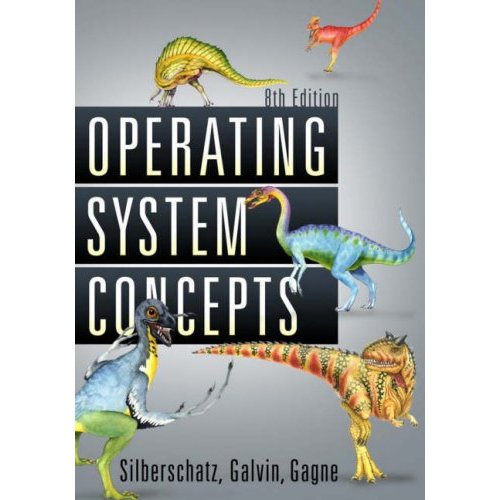
Operating System Concepts, 8th Edition published
Posted by pbgalvin under Operating Systems[2] Comments
Very pleased to say that OSC 8th edition (the dinosaur book) is now out. All the details are at Amazon.
Unfortunately a textbook is never done. On my current todo list is updating all of the powerpoint slides that accompany the text, made available for faculty to modify and use.